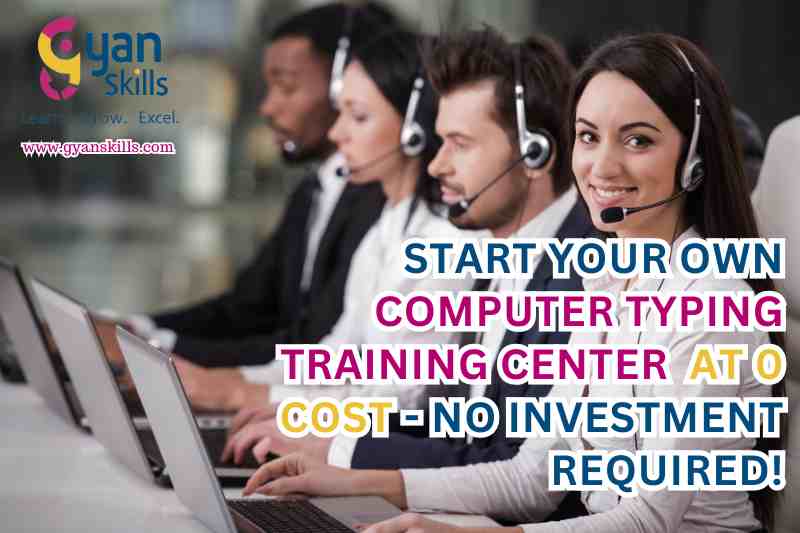
START YOUR OWN COMPUTER TYPING TRAINING CENTER AT 0 COST – NO INVESTMENT REQUIRED!
Updated for 2026
Start Your Own Computer Typing Training Centre in 2026
Want to start a Computer Typing Training Centre or
typing institute without building an education brand completely from scratch?
A typing-focused training centre can serve students, competitive-exam aspirants,
job seekers, data-entry learners and professionals who want stronger keyboard and office skills.
Typing is no longer just about learning where the keys are. Students increasingly want
speed, accuracy, touch typing, Hindi and English typing, computer skills,
exam-style typing practice and practical office productivity skills.
This updated 2026 guide explains how to start a computer typing institute,
what courses you can offer, what students are asking right now, how typing connects
with government examinations, what infrastructure you need, how to market your centre
and what you should check before choosing a franchise.
2026 typing-training trend:
Computer-based recruitment and skill tests continue to create demand for practical typing
preparation. SSC’s 2026 examination calendar includes both the
Combined Higher Secondary (10+2) Level Examination and
Stenographer Grade C & D Examination.
Current students are also actively discussing typing speed, accuracy, exam-style interfaces
and Hindi typing practice in online communities.
Interested in Starting a Computer Typing Institute?
Get the latest information about the franchise model, student registration,
courses, certification and centre support.
What Is a Computer Typing Training Centre?
A Computer Typing Training Centre is a skill-development institute
where students learn keyboard operation, typing speed, accuracy, touch typing,
English or Hindi typing and related computer skills.
A modern typing institute can go beyond basic keyboard lessons. It can prepare students
for typing tests, clerical work, data-entry roles, office documentation and other
computer-based tasks.
For competitive-exam students, this distinction matters. Someone may know how to type,
but still struggle when a timed passage, accuracy requirement or exam interface is introduced.
Why Is a Typing Institute Still Relevant in 2026?
One of the biggest misconceptions about typing is that everyone already knows it because
almost everyone uses a smartphone.
Smartphone typing and professional keyboard typing are very different skills.
Students still need to type accurately on physical keyboards for office work,
documentation, data entry and recruitment tests. Government examinations continue to
include typing and skill-test components for several posts.
SSC’s 2026 examination calendar, for example, includes the CHSL examination, while
current recruitment notices continue to demonstrate the importance of computer-based
skill testing.
The important 2026 shift:
A good typing institute should not sell “WPM” alone. Students increasingly need
speed + accuracy + correct keyboard technique + exam familiarity + practical computer skills.
Latest 2026 Update: SSC CHSL Typing Is a Major Student Search Intent
The current SSC CHSL 2026 recruitment cycle has made typing preparation particularly
relevant for students targeting LDC/JSA-type posts.
Current reporting on the 2026 CHSL notification states that candidates opting for
English typing need 35 words per minute, while candidates opting
for Hindi need 30 words per minute. The Hindi typing test requires
the Mangal font.
This creates an important opportunity for typing institutes: students do not simply
want “computer typing classes.” Many want SSC typing test preparation.
Your centre can therefore structure separate programmes for general typing,
English typing, Hindi typing, touch typing and government-exam typing practice.
What Are Students Asking About Typing in 2026?
Recent discussions on Reddit show that students are asking very practical questions
rather than simply searching for a definition of typing.
- How can I increase my typing speed?
- Is accuracy more important than WPM?
- Do I need touch typing for SSC exams?
- Can I clear the typing test with two-finger typing?
- How should I practise for a 10-minute typing test?
- Should I practise random paragraphs or exam-style passages?
- How can I improve Hindi typing?
- Which keyboard layout should I learn?
- How many hours should I practise every day?
- Why does my typing speed increase but my accuracy fall?
These questions are useful for training-centre owners because they reveal exactly what
students expect from a modern typing course: measurable practice and feedback,
not just lectures.
What Courses Can a Computer Typing Training Centre Offer?
| Course | What Students Learn |
|---|---|
| Basic Computer Typing | Keyboard familiarity, correct finger placement and basic typing practice. |
| English Typing | Touch typing, speed development, accuracy and paragraph typing. |
| Hindi Typing | Hindi keyboard practice, appropriate layout/font training and accuracy. |
| Speed Typing | Structured exercises for improving words per minute and consistency. |
| Typing for Competitive Exams | Timed passages, accuracy practice and exam-style typing sessions. |
| Keyboard Mastery | Touch typing, finger positioning, keyboard familiarity and efficient typing technique. |
| Office Productivity | Typing combined with practical office-document preparation and computer skills. |
| Computer Basics + Typing | A beginner-friendly combination of computer fundamentals and typing practice. |
Who Should Open a Computer Typing Training Centre?
-
Typing Professionals:
People who already have strong typing skills and want to teach. -
Teachers and Educators:
Trainers who want to add a practical employability skill to their education business. -
Computer Institute Owners:
Existing computer centres can add typing and exam-oriented skill courses. -
Competitive-Exam Coaching Owners:
Add a dedicated typing component for students preparing for recruitment tests. -
Entrepreneurs:
People interested in starting a skill-development centre. -
Small Business Owners:
Existing education or service businesses looking to add another training category.
Do I Need a Special Qualification to Open a Typing Institute?
The original franchise material states that no special qualification is required to open
the centre and that people with knowledge of typing and office tools can participate.
However, there is an important practical distinction between owning/managing a centre
and personally teaching every course.
If you will teach students yourself, you should have adequate knowledge of typing,
computer operation and the course you are delivering. If you are managing the centre,
discuss trainer requirements with the franchise provider.
A typing centre’s reputation will ultimately depend on student results and teaching quality,
not simply on the name displayed outside the building.
How to Start Your Own Computer Typing Training Centre
| Step | What You Should Do |
|---|---|
| 1. Study Local Demand |
Check demand among school students, college students, job seekers, government-exam aspirants and working professionals. |
| 2. Select Your Courses |
Decide whether you will offer English typing, Hindi typing, speed typing, competitive-exam typing and computer courses. |
| 3. Understand the Franchise Terms |
Confirm current fees, student registration charges, certification, infrastructure requirements and support before joining. |
| 4. Select a Location |
Consider proximity to schools, colleges, coaching centres, markets and areas with student footfall. |
| 5. Arrange Infrastructure |
Set up computers, keyboards, seating, internet, electricity and suitable practice software or systems. |
| 6. Train or Appoint Trainers |
Ensure the person teaching typing can explain technique, identify errors and help students improve. |
| 7. Register Students | Use the applicable registration process and maintain accurate student records. |
| 8. Conduct Regular Tests | Track WPM, accuracy, errors and progress rather than relying only on attendance. |
| 9. Market the Centre |
Use Google search, local SEO, WhatsApp, social media, referrals, school/college outreach and competitive-exam communities. |
Want to Open Your Own Typing Institute?
Talk to the franchise team before investing in your centre setup.
Ask about the latest 2026 terms, student registration and support.
What Infrastructure Does a Typing Institute Need?
You do not necessarily need an expensive setup to begin teaching typing,
but students need reliable computers and a comfortable environment for daily practice.
Basic Infrastructure
- Computers or laptops
- Good-quality keyboards
- Comfortable chairs and desks
- Reliable electricity
- Internet connection
- Power backup where required
- Typing practice software or online systems
- Whiteboard or display
- Student practice material
How Many Computers Are Required?
There is no universal number that applies to every typing institute.
It depends on your batch size and how you schedule classes.
The practical rule is simple: avoid enrolling a large batch when students have
to share computers constantly. Typing is a physical skill. Students need enough
keyboard time to improve.
If your budget is limited, smaller batches with multiple daily sessions can sometimes
be more useful than a large classroom where students spend half the class waiting.
How Long Does It Take to Learn Computer Typing?
The original franchise material states that typing courses generally range from
3 to 6 months, depending on course complexity and depth.
In practice, students may learn basic keyboard familiarity much faster, but developing
reliable speed and accuracy takes consistent repetition.
A student who practises for 20–30 minutes every day may progress more consistently
than someone who practises for three hours once a week.
How Can Students Increase Typing Speed?
The biggest mistake beginners make is chasing WPM before developing accuracy.
A better progression is:
- Learn correct finger placement.
- Practise common letter combinations.
- Build accuracy with slow typing.
- Move to words and sentences.
- Practise complete paragraphs.
- Introduce timed tests.
- Track mistakes after every test.
- Gradually increase speed.
Simple rule:
If your WPM goes up while your accuracy collapses, you have not necessarily improved.
A strong typing programme tracks both speed and accuracy.
Is Touch Typing Necessary for Government Exams?
Students often ask whether they must learn formal touch typing.
The examination generally evaluates typing performance rather than asking candidates
to prove that they use a particular finger pattern. However, touch typing can be a
very useful training method because it helps students build consistency and reduces
dependence on looking at the keyboard.
A student using another technique may still type successfully if the required
performance is achieved, but proper keyboard technique can make speed and accuracy
easier to develop over time.
SSC CHSL Typing Test 2026: What Students Should Know
Current 2026 reporting on SSC CHSL states that the LDC/JSA typing test requires:
| Typing Medium | Reported Requirement |
|---|---|
| English | 35 words per minute |
| Hindi | 30 words per minute |
| Hindi Font | Mangal |
| Typing Test Duration | 10 minutes |
Students should always check the latest official SSC notification before the examination.
Do not rely on an old YouTube video or coaching poster if the official notification
has been updated.
Why Hindi Typing Training Is Becoming More Important
Hindi typing has a different learning curve for many beginners because they must become
comfortable with the relevant keyboard layout and typing environment.
For SSC CHSL 2026 LDC/JSA candidates choosing Hindi, current reporting says the
Mangal font is required.
That means a typing institute that wants to attract government-exam aspirants should
not treat Hindi typing as an optional afterthought.
Consider offering a dedicated Hindi Typing for Government Exams
batch with regular timed practice.
Should Students Practise Random Paragraphs or Exam-Style Tests?
Both have a place, but they serve different purposes.
Random exercises are useful when a student is learning keyboard technique.
Exam-style passages become more important as the test approaches.
Recent SSC aspirants on Reddit have specifically discussed the difference between
random typing practice and exam-style timed passages, including the value of tracking
WPM, accuracy and errors.
Therefore, a good typing institute should gradually move students from
learning mode → speed mode → exam simulation mode.
Speed vs Accuracy: Which Matters More?
Students often ask this question because they see impressive WPM scores online.
For serious exam preparation, accuracy should not be sacrificed just to display
a higher number.
For example:
- 35 WPM at very poor accuracy is not necessarily useful.
- 32 WPM with excellent accuracy may show that the student is close to the target.
- 40 WPM with stable accuracy provides a stronger preparation margin.
Your institute should therefore report at least:
speed, accuracy, errors and test duration.
Can Students Clear Typing Tests With Two-Finger Typing?
Students sometimes ask whether two-finger typing is allowed.
The practical issue is not whether someone has formally been certified as a
“touch typist.” The important question is whether the candidate can meet the
examination’s prescribed performance requirements under the actual test conditions.
However, two-finger typing can become a limitation as speed requirements increase.
Students preparing seriously should consider learning efficient keyboard technique
instead of relying on a method that may restrict their speed.
How Much Should a Student Practise Every Day?
There is no single perfect number for everyone.
A beginner could start with:
- 10 minutes of finger/keyboard exercises
- 15 minutes of accuracy practice
- 15 minutes of paragraph typing
- 10 minutes of timed practice
- 5 minutes reviewing mistakes
As the student’s skill improves, the length and difficulty of the sessions can increase.
How Can a Typing Institute Prepare Students for Competitive Exams?
A competitive-exam typing programme should be different from a general computer course.
It should include:
- Exam-specific speed targets
- Timed passages
- Accuracy tracking
- Error analysis
- English typing
- Hindi typing where relevant
- Mock tests
- Computer-based exam simulation
- Progress reports
Can a Typing Institute Also Teach Computer Skills?
Yes, and this can make the centre more useful to a wider audience.
The original franchise model includes Office Productivity Tools
alongside typing and keyboard skills.
You can consider combining typing with:
- Computer fundamentals
- Word processing
- Office documentation
- Basic spreadsheets
- Email and internet skills
- Data-entry fundamentals
- Digital documentation
This gives students a broader practical skill set rather than limiting the course
to typing speed alone.
How Much Does It Cost to Start a Computer Typing Institute?
There is no single universal cost because your actual setup depends on the location,
number of computers, rent, trainer costs and business model.
Gyan Skills Academy’s current 2026 typing-franchise page promotes a model with
no franchise fee, no royalty fee and no renewal fee, while stating
that the online student registration charge is ₹300 per student.
That is different from saying that running a physical centre has absolutely no costs.
Important:
Before opening the centre, confirm the current franchise terms directly.
You may still have operating expenses such as premises, electricity, computers,
furniture, internet, trainers, maintenance and local marketing.
What Does the Typing Institute Franchise Include?
According to the current Gyan Skills 2026 typing institute information, the
franchise model includes support such as:
- Centre management dashboard
- QR-verified typing certificates
- Student ID cards and admit cards
- Online examination and evaluation systems
- Training support
- Marketing support
- Typing and computer-related course options
The exact features, charges and terms should be confirmed at the time of application
because franchise programmes can be updated.
Who Can Join a Computer Typing Course?
A typing course can be useful for many different groups:
- School students
- College students
- Government-job aspirants
- SSC CHSL aspirants
- SSC CGL aspirants
- Stenography students
- Data-entry job seekers
- Office workers
- Beginners learning computers
- Freelancers
- People returning to the workforce
How Can a Computer Typing Institute Get More Students?
1. Target Local Search Queries
Build pages around phrases such as:
- Typing institute near me
- Computer typing classes in [city]
- English typing classes in [city]
- Hindi typing classes in [city]
- SSC typing classes in [city]
- SSC CHSL typing classes in [city]
- Government exam typing institute in [city]
- Computer institute near me
2. Create Free Typing Assessments
Let students check their current WPM and accuracy before joining.
This gives your sales team a genuine reason to start a conversation.
3. Show Student Progress
With student permission, share before-and-after speed results,
practice sessions and test milestones.
4. Use WhatsApp
Students often want quick answers about fees, batch timings, course duration
and whether the course is useful for a particular examination.
5. Partner With Competitive-Exam Coaches
SSC, railway, banking and other exam-coaching centres may have students who
need a separate typing programme.
Get Franchise Details Directly
Ask about the latest course list, student registration process,
certification and partner support.
Frequently Asked Questions About Computer Typing Training Centres
1. What is a Computer Typing Training Centre?
It is a training institute where students learn keyboard skills, typing speed,
accuracy, touch typing, English or Hindi typing and related computer skills.
2. Is a typing institute still useful in 2026?
Yes. Typing remains useful for office work, data entry, documentation and
recruitment examinations that include computer-based typing or skill tests.
3. Can beginners join a computer typing course?
Yes. A beginner can start with keyboard familiarity and basic finger placement
before progressing to words, sentences, paragraphs and timed tests.
4. How long does a computer typing course take?
The original franchise programme describes typing courses as generally lasting
around 3 to 6 months, depending on the course and level of training.
5. How quickly can I increase my typing speed?
It depends on your starting speed, technique and practice consistency.
Regular daily practice is generally more useful than occasional long sessions.
6. Is typing speed more important than accuracy?
No. Both matter. A student should build accuracy first and then increase speed
gradually while keeping errors under control.
7. Do I need touch typing to clear a government typing test?
Formal touch-typing certification is not the same thing as the typing test itself.
The important requirement is meeting the applicable examination performance standard.
However, touch typing can be a useful way to develop efficient keyboard skills.
8. Can I clear a typing test with two-finger typing?
A candidate’s actual performance is what matters, but two-finger typing may make
higher speeds harder to achieve. Students preparing seriously should consider
learning a more efficient keyboard technique.
9. What is the SSC CHSL English typing speed in 2026?
Current 2026 reporting states that the English typing requirement for LDC/JSA
is 35 words per minute. Candidates should verify the latest official SSC notice
before relying on any exam requirement.
10. What is the SSC CHSL Hindi typing speed in 2026?
Current 2026 reporting states that the Hindi typing requirement for LDC/JSA
is 30 words per minute.
11. Which font is required for Hindi typing in SSC CHSL 2026?
Current 2026 reporting states that candidates choosing Hindi for the LDC/JSA
typing test must use the Mangal font.
12. How long is the SSC CHSL typing test?
Current 2026 information reports a 10-minute typing test for LDC/JSA.
Candidates should always check the official notification for the applicable examination.
13. Should I practise random paragraphs for SSC typing?
Random paragraphs are useful for general practice, but students should gradually
add exam-style timed passages so that they become comfortable with the actual
pressure and format of the test.
14. How many minutes should I practise typing every day?
Beginners can start with short, focused daily sessions and increase practice
gradually. Consistency is more important than trying to complete very long sessions
occasionally.
15. How can I improve typing accuracy?
Slow down slightly, use correct finger positioning, identify frequently mistyped
keys, practise complete words and review your errors after every test.
16. Can I learn Hindi and English typing together?
Yes. Many students learn both, but each language and keyboard environment requires
practice. If you are preparing for an exam, prioritise the language required by your
target examination.
17. Is Hindi typing difficult for beginners?
It can initially feel unfamiliar because the keyboard layout and typing method differ
from ordinary English typing. Regular practice makes the process much easier.
18. Can typing help with government jobs?
Yes. Typing is a useful skill for several government recruitment pathways where
typing or computer skill tests are part of the selection process.
19. Can I prepare for SSC CHSL typing at a typing institute?
Yes. A dedicated institute can provide structured typing practice, timed tests,
accuracy tracking and exam-style preparation. Students should also prepare for
the other components of the recruitment examination.
20. Can a typing institute teach computer basics too?
Yes. Typing can be combined with computer fundamentals, office productivity,
documentation, data entry and other practical computer skills.
21. Who can start a computer typing institute?
Typing professionals, teachers, computer-institute owners, entrepreneurs and
education or skill-development professionals can explore starting a typing centre.
22. Do I need to be a typing expert to own the centre?
The original franchise material does not specify a special qualification for the
owner. However, if you personally teach students, you should have adequate typing
and computer knowledge or appoint suitably qualified trainers.
23. How much does it cost to start a typing institute?
Costs depend on your location, equipment and business model. Gyan Skills Academy’s
current 2026 page promotes no franchise, royalty or renewal fee, while stating
a ₹300 online student-registration charge. Normal centre operating expenses may still apply.
24. Is this really a zero-investment typing franchise?
The current franchise promotion describes the franchise fee, royalty and renewal
charges as zero. This should not be interpreted as meaning that a physical centre
has absolutely no operating expenses. Confirm the latest commercial terms directly
before opening your centre.
25. Is there a student registration fee?
The current Gyan Skills 2026 typing institute page states that student registration
on its online portal costs ₹300 per student. Confirm the latest applicable charge
directly with the organisation before registration.
26. Are typing certificates provided?
Yes. The current franchise information states that students can receive
QR-verified typing certificates after completing the applicable programme.
27. Can typing certificates be verified online?
The current franchise information states that student and certificate records
can be verified through online and offline systems.
28. Can I run the typing centre part-time?
The original franchise content states that a centre can be run on a part-time
or full-time basis, subject to practical scheduling and applicable centre requirements.
29. Can I add other courses to a typing institute?
Yes. The franchise model supports a wider range of skill-development courses,
so an eligible centre can explore adding computer and vocational courses.
30. What support does a typing franchise provide?
Current information describes course and training support, centre-management tools,
online examination and evaluation systems, certificates and marketing support.
31. What is the best typing course for government exams?
The best course is one that matches your target examination’s language, speed,
duration, keyboard environment and accuracy requirements and gives you regular
timed practice.
32. How do I choose the best typing institute?
Look for experienced trainers, sufficient computer access, regular tests,
measurable progress reports, exam-specific practice, transparent fees and
a curriculum that matches your goal.
33. Can AI replace typing jobs?
AI can automate some documentation and data-entry tasks, but typing remains
an important supporting skill for many office and computer-based roles.
Students should combine typing with broader computer and office skills rather
than relying on typing alone.
34. Can AI help students practise typing?
Technology can help with automated scoring, accuracy tracking and personalised
practice. Recent student communities are already discussing free typing tools
with WPM, accuracy and error tracking.
35. Is a typing certificate enough to get a government job?
No. A certificate documents training but does not guarantee employment.
Government recruitment depends on the official eligibility criteria,
examination performance, skill-test performance and final selection process.
36. How do I apply for a Computer Typing Training Centre franchise?
You can visit the official partner page, submit your details and discuss
the current franchise process, course options and centre requirements.
Ready to Start Your Computer Typing Training Centre?
Build your centre around practical skills, measurable student progress
and the growing need for typing and computer proficiency.
Final Thoughts: Is a Computer Typing Institute a Good Business Idea in 2026?
Typing may look like a basic skill, but the way students use it has changed.
In 2026, students are not simply looking for a place where someone tells them
how to use a keyboard. They want to know how to reach a particular speed,
how to improve accuracy, how to practise for government exams and how to use
computers confidently in real work situations.
That creates a stronger opportunity for a training centre that combines
typing + computer skills + exam preparation + measurable practice.
If you are a teacher, typing professional, computer-centre owner or entrepreneur,
a Computer Typing Training Centre Franchise may be worth exploring.
Before making any financial or business decision, confirm the latest franchise
terms, student-registration charges, course list, certification process,
infrastructure requirements and support directly with the franchise provider.
Have Questions Before Applying?
Speak directly with the franchise team for the latest information.
Disclaimer:
Examination rules, dates, eligibility criteria, typing requirements,
franchise terms, student-registration charges, course structures and
certification policies can change. Always verify recruitment information
from the latest official SSC notification and verify current franchise
terms directly with Gyan Skills Academy.
Completion of a typing course or receipt of a typing certificate does not
guarantee employment, a government job or selection in any competitive examination.