Advanced Diploma in Computer Applications with AI (ADCA-AI) : Complete Syllabus, Course Details & Admission Process
Advanced Diploma in Computer Applications with AI
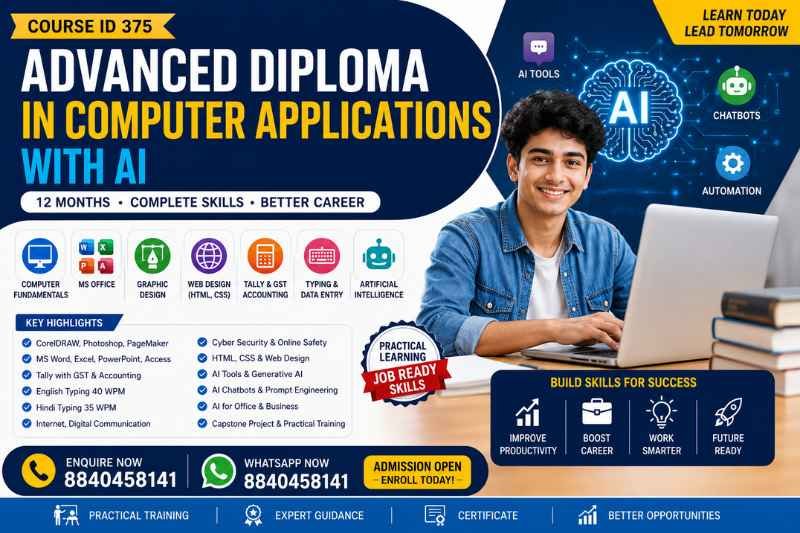
Build practical computer, office automation, graphic designing, web development, accounting, typing and Artificial Intelligence skills through a comprehensive 12-month Advanced Diploma in Computer Applications with AI.
The programme combines traditional computer applications with modern AI tools and applications to help learners develop a broad range of digital and professional skills.
📞 ENQUIRE NOW – 8840458141 💬 WHATSAPP NOWLearn computer fundamentals, Windows, Internet, Cyber Security, CorelDRAW, MS Office, Photoshop, PageMaker, HTML, CSS, Tally, GST, English & Hindi Typing and Generative AI through one integrated programme.
🎓 GET ADMISSION DETAILSThe Advanced Diploma in Computer Applications with AI is a comprehensive 12-month programme designed to provide learners with a wide foundation in computer applications, office productivity, graphic design, web development, accounting, typing, data entry and Artificial Intelligence.
Unlike a basic computer course, this programme brings together multiple practical areas of digital work. Learners are introduced to computer fundamentals, operating systems, Internet and cyber security, professional design software, Microsoft Office, accounting with Tally and GST, HTML and CSS, typing and modern AI applications.
The syllabus also introduces learners to Generative AI, AI chatbots, prompt engineering, AI-assisted office work, AI graphic design, AI-assisted web development, AI productivity tools and responsible AI usage.
🚀 START YOUR ADCA JOURNEYADCA with AI Course Highlights
Advanced Diploma in Computer Applications with AI – Course Details
| Course Name | Advanced Diploma in Computer Applications with AI |
| Course ID | 375 |
| Duration | 12 Months |
| Major Areas | Computer Applications, MS Office, Graphic Design, Web Design, Tally, GST, Typing, Data Entry and Artificial Intelligence |
| Final Project | Integrated ADCA Project & AI Applications |
Complete ADCA with AI Course Syllabus
The programme consists of 12 comprehensive modules covering computer applications, office automation, graphic designing, web development, accounting, typing, Artificial Intelligence and an integrated final project.
- Introduction to Computers
- History and Evolution of Computers
- Characteristics of Computers
- Types of Computers
- Computer Generations
- Computer Hardware and Software
- Input and Output Devices
- CPU, ALU, CU and Memory
- Primary and Secondary Memory
- RAM, ROM, Cache Memory
- Storage Devices
- Hard Disk, SSD, Pen Drive and Memory Card
- Computer Ports and Connectivity
- Binary Number System – Introduction
- Data and Information
- Computer Applications in Daily Life
- Computer Applications in Education
- Computer Applications in Business
- Computer Applications in Banking
- Computer Applications in Government Services
- Digital Literacy and Digital Workplace
- Introduction to Cloud Computing
- Introduction to Artificial Intelligence
- AI in Everyday Life
- AI Applications in Education, Business and Office Work
- Difference Between Traditional Software and AI-Powered Applications
- Introduction to Operating Systems
- Functions of Operating System
- Types of Operating Systems
- MS-DOS
- MS-DOS Introduction
- DOS Commands
- Files and Folders
- Windows Operating System
- Windows Desktop and Interface
- File and Folder Management
- Control Panel and System Settings
- User Accounts
- Windows Security
- Software Installation and Uninstallation
- System Maintenance
- File Compression
- Backup and Restore
- Basic Troubleshooting
- Windows Keyboard Shortcuts
- Introduction to Linux
- Introduction to Cloud-Based Operating Environments
- AI-Powered Operating System Features
- AI Assistants and Smart Computer Features
- Safe Use of AI Assistants
- Introduction to Internet
- History and Evolution of Internet
- Internet Services
- Web Browsers
- Search Engines
- Search Techniques
- Email Etiquette
- Attachments and File Sharing
- Cloud Storage
- Google Drive and Online Documents
- Social Media
- Video Conferencing
- Online Forms
- Digital Payments
- E-Governance Services
- Online Education
- Digital Marketing Introduction
- Website and Domain Introduction
- Cyber Security Fundamentals
- Password Security
- Two-Factor Authentication
- Phishing
- Malware
- Online Fraud
- Social Engineering
- Safe Browsing
- Data Privacy
- Digital Footprint
- AI-Powered Search
- AI Search Assistants
- AI Chatbots
- AI-Based Online Tools
- Identifying AI-Generated Misinformation
- Responsible AI Usage and Digital Ethics
- Introduction to CorelDRAW
- CorelDRAW Interface
- Page Setup
- Drawing Tools
- Shape Tools
- Text Tools
- Colour and Fill
- Outlines
- Object Management
- Layers
- Alignment and Distribution
- Logo Designing
- Visiting Card Design
- Letterhead Design
- Certificate Design
- Brochure Design
- Pamphlet Design
- Flex/Banner Design
- Invitation Card Design
- Social Media Graphics
- Print-Ready Design
- Image Export Formats
- Basic Branding Concepts
- AI-Assisted Design Ideas
- AI-Assisted Logo and Creative Concepts
- AI Content Generation for Graphic Design
- Creating Design Concepts Using AI
MS Word
- Introduction to MS Word
- Creating and Editing Documents
- Formatting Text
- Paragraph Formatting
- Page Layout
- Tables
- Images and Shapes
- Headers and Footers
- Mail Merge
- Templates
- References and Document Management
- Professional Resume and Letter Creation
MS Excel
- Introduction to Excel
- Worksheets and Workbooks
- Rows, Columns and Cells
- Data Entry and Formatting
- Formulas and Functions
- SUM, AVERAGE, COUNT, IF
- Sorting and Filtering
- Charts and Graphs
- Conditional Formatting
- Data Validation
- Basic Data Analysis
- Pivot Tables – Introduction
MS PowerPoint
- Creating Presentations
- Slides and Layouts
- Themes and Templates
- Images and Graphics
- Animations and Transitions
- Charts and Tables
- Presentation Design
- Professional Business Presentations
MS Access
- Database Introduction
- Tables
- Queries
- Forms
- Reports
- Basic Database Management
AI Productivity
- Introduction to Generative AI for Office Work
- AI-Assisted Document Writing
- AI-Assisted Email Drafting
- AI-Assisted Excel Formula Creation
- AI-Assisted Data Analysis
- AI-Assisted Presentation Creation
- AI-Assisted Content Summarisation
- AI-Assisted Report Writing
- AI-Powered Office Productivity
- Responsible Use of AI-Generated Content
- Fact Checking AI-Generated Information
- Introduction to Graphic Designing
- Photoshop Interface
- New Document Creation
- Image Editing
- Selection Tools
- Layers
- Layer Styles
- Brushes
- Text Tools
- Shapes
- Colour Correction
- Image Retouching
- Background Removal
- Photo Manipulation
- Filters
- Image Resizing
- Professional Poster Design
- Social Media Post Design
- Banner Design
- Advertisement Design
- Certificate Design
- Basic Print Design
- Image Optimization
- AI Graphic Design
- Introduction to AI Image Generation
- AI-Assisted Design Concepts
- AI Background Generation
- AI Image Enhancement
- AI Image Editing
- AI-Assisted Poster Creation
- AI-Assisted Social Media Design
- AI Content-to-Image Workflow
- AI Design Prompt Writing
- Responsible Use of AI-Generated Images
- Copyright and Ethical Considerations
- Introduction to Desktop Publishing
- PageMaker Interface
- Document Creation
- Page Setup
- Text Formatting
- Paragraph Formatting
- Text Boxes
- Columns
- Master Pages
- Images and Graphics
- Tables
- Page Numbering
- Headers and Footers
- Newspaper Layout
- Magazine Layout
- Book Layout
- Brochure Design
- Pamphlet Design
- Certificate Layout
- Printing and Export
- PDF Creation
- Professional Document Publishing
- AI-Assisted Content Preparation
- AI-Assisted Headline and Content Generation
- AI-Assisted Document Layout Planning
- Human Review of AI-Generated Content
HTML & Web Development
- HTML Introduction to Web Development
- HTML Structure
- HTML Tags
- Headings
- Paragraphs
- Lists
- Links
- Images
- Tables
- Forms
- Audio and Video
- HTML5 Introduction
- Semantic HTML
CSS
- Introduction to CSS
- Selectors
- Colours
- Fonts
- Backgrounds
- Borders
- Margins
- Padding
- Box Model
- Flexbox
- Grid
- Responsive Web Design
- Buttons
- Cards
- Navigation Menus
- Forms
- Basic Website Layout
AI-Assisted Web Development
- Introduction to AI Coding Assistants
- Generating HTML with AI
- Generating CSS with AI
- AI-Assisted Website Layout
- AI-Assisted Responsive Design
- AI-Assisted Debugging
- AI-Assisted Code Explanation
- AI-Assisted Website Content
- AI Prompting for Web Development
- Reviewing and Correcting AI-Generated Code
- Basic Website Deployment Concepts
- Responsible Use of AI-Generated Code
Accounting Fundamentals
- Introduction to Accounting
- Basic Accounting Terms
- Debit and Credit
- Journal
- Ledger
- Trial Balance
- Profit and Loss Account
- Balance Sheet
- Basic Business Transactions
Tally
- Introduction to Tally
- Company Creation
- Ledger Creation
- Groups
- Voucher Entry
- Payment Voucher
- Receipt Voucher
- Contra Voucher
- Journal Voucher
- Sales and Purchase
- Inventory Management
- Stock Groups
GST
- Introduction to GST
- GST Configuration
- GST Sales and Purchase
- Tax Invoices
- Reports
- Profit and Loss
- Balance Sheet
- Outstanding Reports
- Bank Reconciliation
- Payroll – Introduction
- Data Backup and Security
AI & Accounting
- AI in Accounting – Introduction
- AI-Assisted Business Reports
- AI-Assisted Financial Data Analysis
- AI-Assisted Excel Accounting
- AI-Based Invoice and Document Processing – Introduction
- AI-Based Business Productivity
- AI for Business Communication
- Responsible Use of AI in Financial Work
English Typing
- Keyboard Introduction
- Home Row
- Finger Position
- Touch Typing
- Typing Practice
- Speed Development
- Accuracy Improvement
- Target Speed: 40 WPM
Hindi Typing
- Hindi Keyboard Introduction
- Hindi Typing Practice
- Unicode Hindi Typing
- Common Hindi Typing Errors
- Speed and Accuracy
- Target Speed: 35 WPM
Data Entry
- Data Entry Fundamentals
- Online Data Entry
- Spreadsheet Data Entry
- Document Data Entry
- Data Formatting
- Copy and Paste Techniques
- Data Accuracy
- Digital Documentation
AI Productivity
- AI-Assisted Typing and Writing
- AI Grammar Correction
- AI Translation – Introduction
- AI Text Summarisation
- AI Content Formatting
- AI-Assisted Data Entry Concepts
- AI-Assisted Document Preparation
- Human Verification of AI-Generated Text
Unit 1 – Introduction to Artificial Intelligence
- What is Artificial Intelligence?
- History and Evolution of AI
- AI in Everyday Life
- AI Applications
- AI vs Automation
- AI vs Machine Learning
- AI vs Deep Learning
- Types of AI – Introduction
- AI in Education
- AI in Business
- AI in Healthcare
- AI in Banking
- AI in Marketing
- AI in Government Services
Unit 2 – Generative AI
- Introduction to Generative AI
- Generative AI vs Traditional AI
- Text Generation
- Image Generation
- AI-Assisted Presentation Creation
- AI-Assisted Document Creation
- AI-Assisted Research
- AI-Assisted Content Creation
Unit 3 – AI Chatbots
- Introduction to AI Chatbots
- AI Chat Assistants
- Asking Effective Questions
- Prompt Basics
- Prompt Structure
- Role-Based Prompts
- Instruction-Based Prompts
- Summarisation Prompts
- Writing Prompts
- Data Analysis Prompts
- Creative Prompts
Unit 4 – Prompt Engineering
- Introduction to Prompt Engineering
- Clear Instructions
- Context in Prompts
- Output Formatting
- Role Prompting
- Few-Shot Prompting – Introduction
- Step-by-Step Instructions
- Prompt Refinement
- Creating Professional Prompts
Unit 5 – AI for Office & Business
- AI for MS Word
- AI for MS Excel
- AI for PowerPoint
- AI for Email Writing
- AI for Reports
- AI for Business Letters
- AI for Data Analysis
- AI for Presentations
- AI for Meetings and Summaries
- AI for Business Communication
Unit 6 – AI for Graphic Design
- AI Image Generation
- AI Design Assistants
- Text-to-Image Concepts
- AI Background Generation
- AI Image Enhancement
- AI Poster Creation
- AI Social Media Content
- AI Advertisement Concepts
- AI Creative Prompt Writing
Unit 7 – AI for Web Development
- AI-Assisted HTML
- AI-Assisted CSS
- AI-Assisted Website Content
- AI Code Generation
- AI Code Explanation
- AI Debugging
- AI Website Design Ideas
- AI-Assisted Responsive Design
Unit 8 – AI for Students & Professionals
- AI for Research
- AI for Notes
- AI for Summaries
- AI for Presentations
- AI for Resume Writing
- AI for Cover Letters
- AI for Interview Preparation
- AI for Professional Emails
- AI for Productivity
Unit 9 – AI Tools & Applications
- AI Chatbots
- AI Writing Tools
- AI Image Tools
- AI Presentation Tools
- AI Productivity Tools
- AI Coding Assistants
- AI Research Tools
- AI Education Tools
- AI Business Tools
Unit 10 – Responsible AI
- AI Limitations
- AI Hallucinations
- Fact Checking
- AI Bias
- Data Privacy
- Copyright Awareness
- Plagiarism Awareness
- Personal Data Protection
- Responsible Prompting
- Human Verification of AI Output
- Ethical Use of Artificial Intelligence
Project Areas
- Computer Application Project
- MS Word Professional Document
- MS Excel Data Management
- MS PowerPoint Presentation
- Database Project
- Photoshop Design
- CorelDRAW Design
- PageMaker/DTP Project
- HTML & CSS Website
- Tally Accounting Project
- English & Hindi Typing Test
- AI-Assisted Office Project
- AI-Assisted Graphic Design Project
- AI-Assisted Website Project
- AI-Generated Business Content
- AI Research & Presentation Project
- AI Productivity Demonstration
- AI Ethics and Fact-Checking Exercise
Final Capstone Project
Each student can complete an integrated project such as:
The project may include:
- Business introduction/documentation in MS Word
- Financial data in Excel
- Presentation in PowerPoint
- Basic database in MS Access
- Website using HTML & CSS
- Promotional graphics using Photoshop/CorelDRAW
- Accounting records using Tally
- English & Hindi typing work
- AI-generated content with human verification
- AI-assisted presentation
- AI-assisted website content
- Final project report and presentation
Skills You Can Develop Through ADCA with AI
💻 Computer Skills
Computer fundamentals, operating systems, hardware, software, storage and digital workplace concepts.
📊 Office Automation
MS Word, Excel, PowerPoint, Access and AI-assisted office productivity.
🎨 Graphic Design
CorelDRAW, Photoshop, desktop publishing and AI-assisted creative workflows.
🌐 Web Design
HTML, CSS, responsive design and AI-assisted web development concepts.
💰 Accounting
Accounting fundamentals, Tally, GST, business transactions and reporting.
⌨️ Typing
English typing up to the stated 40 WPM target and Hindi typing up to the stated 35 WPM target.
🤖 Artificial Intelligence
Generative AI, chatbots, prompt engineering, AI productivity and responsible AI.
🔐 Cyber Security
Password security, phishing, malware, online fraud, privacy and safe browsing.
📁 Data Entry
Online data entry, spreadsheet data entry, document data entry and digital documentation.
Why AI Is Included in the ADCA Curriculum
Artificial Intelligence is increasingly being used in office work, content creation, graphic design, research, communication, data analysis and web development. This ADCA programme therefore introduces AI concepts alongside conventional computer applications.
Learners are introduced to AI chatbots, Generative AI, prompt engineering, AI-assisted documents, AI-assisted Excel work, AI presentation creation, AI image generation, AI-assisted coding and AI productivity tools.
The syllabus also includes responsible AI practices such as fact checking, privacy awareness, copyright awareness, plagiarism awareness and human verification of AI-generated information.
🤖 ASK ABOUT THE AI MODULECareer-Oriented Areas After ADCA Training
The broad curriculum can help learners develop skills applicable to different computer-based work environments. Depending on their additional skills, experience and employer requirements, learners may explore areas such as:
🖥️ Computer Operator
Computer operations, documentation and routine digital workplace tasks.
📋 Data Entry
Data entry, spreadsheet handling and digital documentation.
⌨️ Typing Work
English and Hindi typing and document preparation.
🎨 Graphic Designer
Basic graphic design, promotional material and social media graphics.
🌐 Web Designer
Basic HTML, CSS and website layout skills.
💰 Accounting Assistant
Accounting fundamentals, Tally and GST-related computer applications.
📱 Digital Office Assistant
Office automation, documentation, email and online productivity.
🤖 AI Productivity Assistant
AI-assisted office, content, research and productivity workflows.
🧑💻 Freelance Digital Work
Explore digital services using design, documentation, web and AI skills.
Who Should Join the Advanced Diploma in Computer Applications with AI?
- Students who want comprehensive computer training
- Beginners starting their journey in computer applications
- Job seekers looking to develop digital workplace skills
- Students interested in MS Office and computer applications
- Learners interested in graphic designing
- Students interested in basic web development
- Learners interested in Tally and GST
- Students interested in English and Hindi typing
- Professionals looking to improve office productivity
- Learners interested in Generative AI and AI tools
- Entrepreneurs and small business owners seeking digital skills
ADCA Integrated Project & Capstone
The final module brings together the skills covered throughout the programme. Learners can work on an integrated project combining computer applications and AI-based workflows.
A suggested project is an “AI-Powered Digital Business / Computer Institute Project”, which can combine documentation, financial data, presentations, database management, website development, graphics, accounting, typing and AI-assisted content.
MS Word + Excel + PowerPoint + Access + HTML/CSS + Photoshop/CorelDRAW + Tally + Typing + AI-assisted content + AI presentation + AI-assisted website content + final report.
How to Enrol in ADCA with AI – Course ID 375
Call or WhatsApp 8840458141 for course information.
Understand the 12-month curriculum, modules, project structure and admission requirements.
Confirm the current fee, registration process and applicable course requirements before payment.
Complete the applicable registration and admission formalities.
Begin your 12-month Advanced Diploma in Computer Applications with AI programme.
Frequently Asked Questions – ADCA with AI
ADCA with AI is an Advanced Diploma in Computer Applications programme that combines computer fundamentals, MS Office, graphic design, web development, accounting, typing, data entry and Artificial Intelligence applications.
The course duration specified for Course ID 375 is 12 months.
The Course ID provided for this programme is 375.
Yes. The syllabus covers MS Word, MS Excel, MS PowerPoint and MS Access along with AI-based office automation.
Yes. Module 9 covers accounting fundamentals, Tally, GST, sales and purchase, inventory management, reports, bank reconciliation and introductory payroll.
Yes. The programme includes CorelDRAW, Adobe Photoshop and PageMaker/Desktop Publishing along with AI-assisted graphic design concepts.
Yes. Module 8 covers HTML, CSS, responsive web design, website layouts and AI-assisted web development.
Yes. AI is integrated throughout several modules and Module 11 specifically covers Artificial Intelligence and Generative AI applications.
The syllabus includes Generative AI, AI chatbots, prompt engineering, AI for office and business, AI graphic design, AI web development, AI research, AI productivity tools and responsible AI.
Yes. Prompt engineering is covered in Module 11, including clear instructions, context, output formatting, role prompting, few-shot prompting, prompt refinement and professional prompts.
Yes. Module 10 covers English typing with a stated target speed of 40 WPM and Hindi typing with a stated target speed of 35 WPM, along with data entry.
Yes. Hindi keyboard introduction, Unicode Hindi typing, practice, common errors, speed and accuracy are included.
Yes. The Internet and Cyber Security module includes password security, two-factor authentication, phishing, malware, online fraud, social engineering, safe browsing, data privacy and digital footprints.
Yes. Module 12 includes an ADCA Integrated Project & AI Applications and a final capstone project with a final project report and presentation.
The suggested integrated project can include MS Word documentation, Excel financial data, PowerPoint presentation, Access database, HTML/CSS website, Photoshop/CorelDRAW graphics, Tally accounting, typing work and AI-assisted content.
Students, beginners, job seekers, professionals, entrepreneurs and learners interested in computer applications and AI can enquire about the programme. Specific admission requirements should be confirmed before enrolment.
The syllabus introduces AI through practical applications such as AI chatbots, Generative AI, prompt engineering, AI productivity, graphic design and web development. Learners should confirm the expected entry level before admission.
You can call or WhatsApp 8840458141 for course and admission information.
🚀 Build Your Computer + AI Skills
Learn computer applications, office automation, graphic design, web development, accounting, typing, data entry and Artificial Intelligence through one structured 12-month programme.
Advanced Diploma in Computer Applications with AI
Course ID: 375 | Duration: 12 Months
📞 CALL 8840458141 💬 WHATSAPP TO ENROLADCA Course, Advanced Diploma in Computer Applications, ADCA with AI, Advanced Diploma in Computer Applications with AI, ADCA AI Course, ADCA Course with Artificial Intelligence, ADCA Computer Course, Advanced Computer Course, ADCA Course 12 Months, ADCA Course Online, ADCA Course Admission, ADCA Course Syllabus, ADCA Course Details, ADCA Course with Certificate, Advanced Diploma Computer Applications Course, Computer Application Diploma Course, Computer Course for Students, Computer Course for Job Seekers, Computer Course for Beginners, Computer Training Course, Computer Applications Course, Computer Skills Course, MS Office Course, MS Word Course, MS Excel Course, MS PowerPoint Course, MS Access Course, Tally Course, Tally GST Course, GST Accounting Course, Graphic Designing Course, CorelDRAW Course, Photoshop Course, PageMaker Course, DTP Course, HTML CSS Course, Web Designing Course, Web Development Course, English Typing Course, Hindi Typing Course, Data Entry Course, AI Course, Artificial Intelligence Course, Generative AI Course, Generative AI Training, AI Chatbot Course, Prompt Engineering Course, AI Productivity Course, AI for Office Work, AI for Graphic Design, AI for Web Development, AI Tools Course, AI Skills Course, Cyber Security Basics, Computer Course with AI, ADCA AI Certification, ADCA Computer Training, Advanced Computer Applications, Computer Diploma Course, Job Oriented Computer Course, Digital Skills Course, Computer Training with AI, AI Enabled Computer Course, ADCA Course for Students, ADCA Course for Professionals, ADCA Course for Job Seekers, Computer Course with Tally GST, Computer Course with Typing, Computer Course with Graphic Design, Computer Course with Web Design, Computer Course with Artificial Intelligence
Disclaimer: Course duration, syllabus, admission requirements, fee, learning structure, certification and other programme details are subject to the information provided for the programme and may be updated by the course provider. Students should confirm the latest details before enrolment or payment. Completion of a course does not by itself guarantee employment or selection for any particular job.